Wi-Fi slow in one room but fast everywhere else? It is usually not your internet plan.
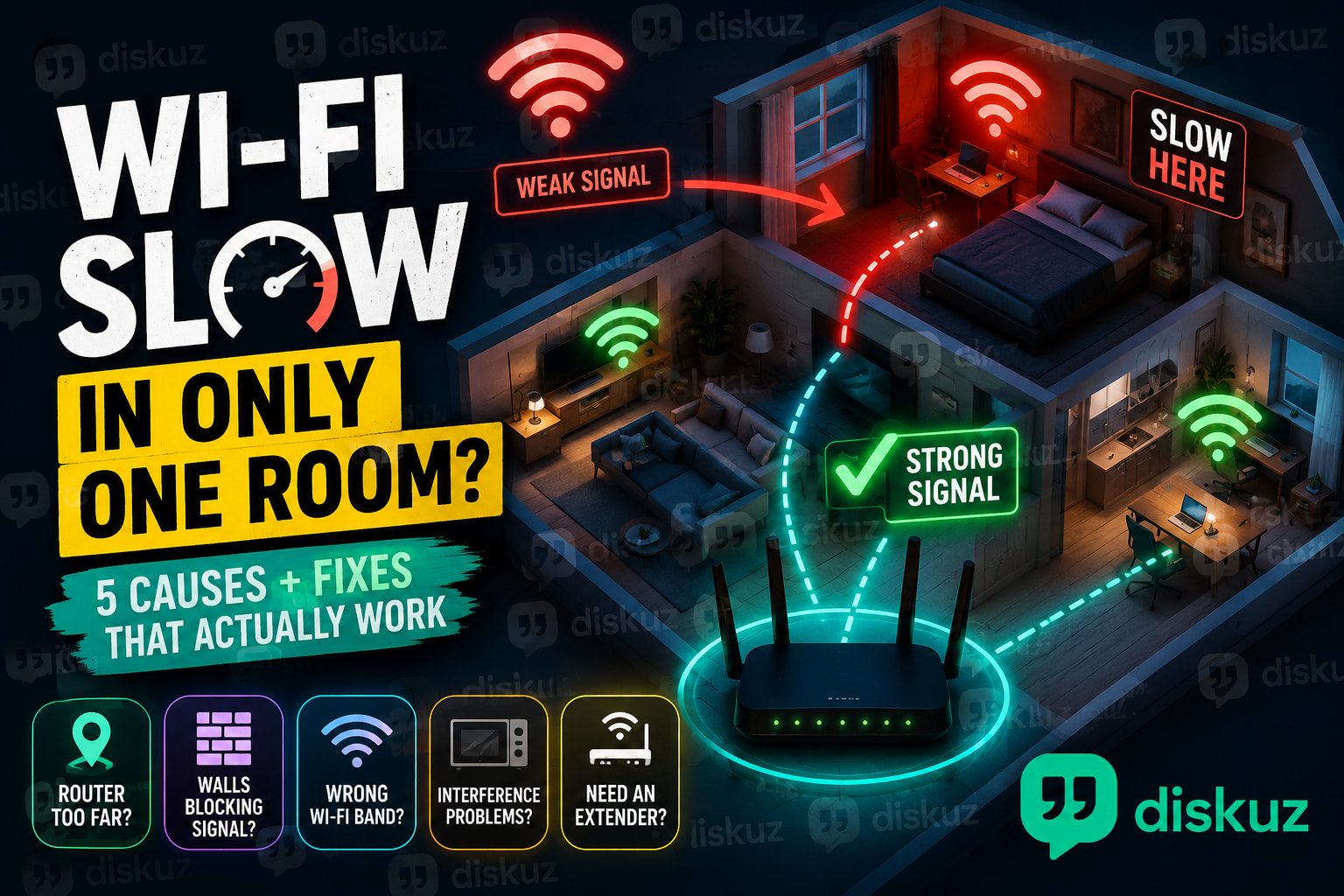
Your connection may be fine in the living room, then become unreliable in the bedroom, home office, upstairs room, basement, or garage. Videos buffer, Zoom calls freeze, games lag, and your phone may even switch to mobile data.
When Wi-Fi is slow in only one room, the most common causes are distance from the router, thick walls, poor router placement, interference, or using the wrong Wi-Fi band.
Here are the fixes worth trying before calling your internet provider.
 Check If It’s a Wi-Fi Problem or an Internet Problem
Run a speed test close to your router, then run the same test in the room where Wi-Fi is slow.
If the speed is good near the router but much worse in the bedroom or office, your internet connection is probably working correctly. The issue is Wi-Fi coverage inside your home.
That is important because a faster internet plan will not fix a weak Wi-Fi signal caused by walls, distance, or router location.
 1. The Router Is Too Far Away
Wi-Fi signal gets weaker the farther you are from the router.
This is common in larger apartments, long hallways, multi-story homes, and rooms at the opposite end of the house. A weak signal can cause slow download speeds, buffering on Netflix or YouTube, lag while gaming, and unstable video calls.
Try using your phone or laptop close to the router. If the speed improves a lot, distance is likely the main reason your Wi-Fi is slow in that room.
 2. Walls, Floors, and Furniture Are Blocking the Signal
Wi-Fi can pass through walls, but some materials reduce the signal much more than others.
Concrete, brick, metal, tile, mirrors, pipes, and thick floors can create a Wi-Fi dead zone. This is why a room that seems close to the router can still have poor Wi-Fi.
Your router should not be hidden inside a cabinet, placed behind a TV, or left on the floor. Moving it to a shelf or table in an open area can make a bigger difference than people expect.
For better Wi-Fi coverage, try to place the router:
 Near the center of your home
In an open and elevated position
Away from large appliances and metal objects
Away from thick walls when possible
 3. You May Be Using the Wrong Wi-Fi Band
Most modern routers use 2.4 GHz Wi-Fi and 5 GHz Wi-Fi.
2.4 GHz reaches farther and handles walls better, but it is usually slower.
5 GHz is faster, but it has a shorter range and can struggle through walls and floors.
If Wi-Fi is slow in a bedroom far from the router, your device may be connected to a weak 5 GHz signal.
If your router shows separate network names, test both. In a distant room, 2.4 GHz Wi-Fi may give you a more stable connection even if the top speed is lower.
 4. Wi-Fi Interference Is Making One Room Worse
Wi-Fi can also be affected by nearby electronics and other wireless devices.
Bluetooth speakers, wireless cameras, baby monitors, microwaves, smart home hubs, and neighboring Wi-Fi networks can all create interference. This is especially common in apartment buildings, where many routers may be competing for the same channels.
Restarting your router can sometimes help it select a less crowded Wi-Fi channel. If your router settings allow it, changing the channel manually may improve Wi-Fi speed in one room.
 5. You Need a Wi-Fi Extender or Mesh Wi-Fi
If the room is simply too far away, changing settings may not be enough.
A Wi-Fi extender can help, but it needs to be placed halfway between the router and the room with weak Wi-Fi. Putting it directly inside the dead zone usually does not work well because it is only repeating a weak signal.
For larger homes or multiple floors, mesh Wi-Fi is often the better option. Mesh systems use multiple access points that work together under one network name, so your phone and laptop can stay connected as you move around the house.
For gaming, work computers, smart TVs, and consoles, an Ethernet cable is still the most stable solution when possible.
 Quick Fixes for Slow Wi-Fi in One Room
- Restart the router
- Compare Wi-Fi speed near the router and in the slow room
- Move the router to a central, open location
- Try 2.4 GHz instead of 5 GHz
- Keep the router away from TVs, cabinets, and appliances
- Use a Wi-Fi extender halfway to the weak room
- Consider mesh Wi-Fi for larger homes
 FAQ: Wi-Fi Slow in One Room
Why is my Wi-Fi slow in one room but fast everywhere else?
The most likely causes are distance from the router, thick walls, floors, Wi-Fi interference, poor router placement, or a weak 5 GHz signal.
Is 2.4 GHz or 5 GHz better for a room far from the router?
2.4 GHz Wi-Fi is usually better for rooms far from the router because it reaches farther and passes through walls more easily. 5 GHz Wi-Fi is better when you are closer to the router and want faster speeds.
Will a Wi-Fi extender fix slow Wi-Fi in one room?
It can, as long as the extender is placed where it still receives a good signal from the router. For several weak rooms or multiple floors, mesh Wi-Fi is usually more reliable.
If your Wi-Fi is slow in only one room, test the speed near the router first. That will quickly show whether you need to improve Wi-Fi coverage rather than change your internet plan.
Which room has the worst Wi-Fi signal in your home?